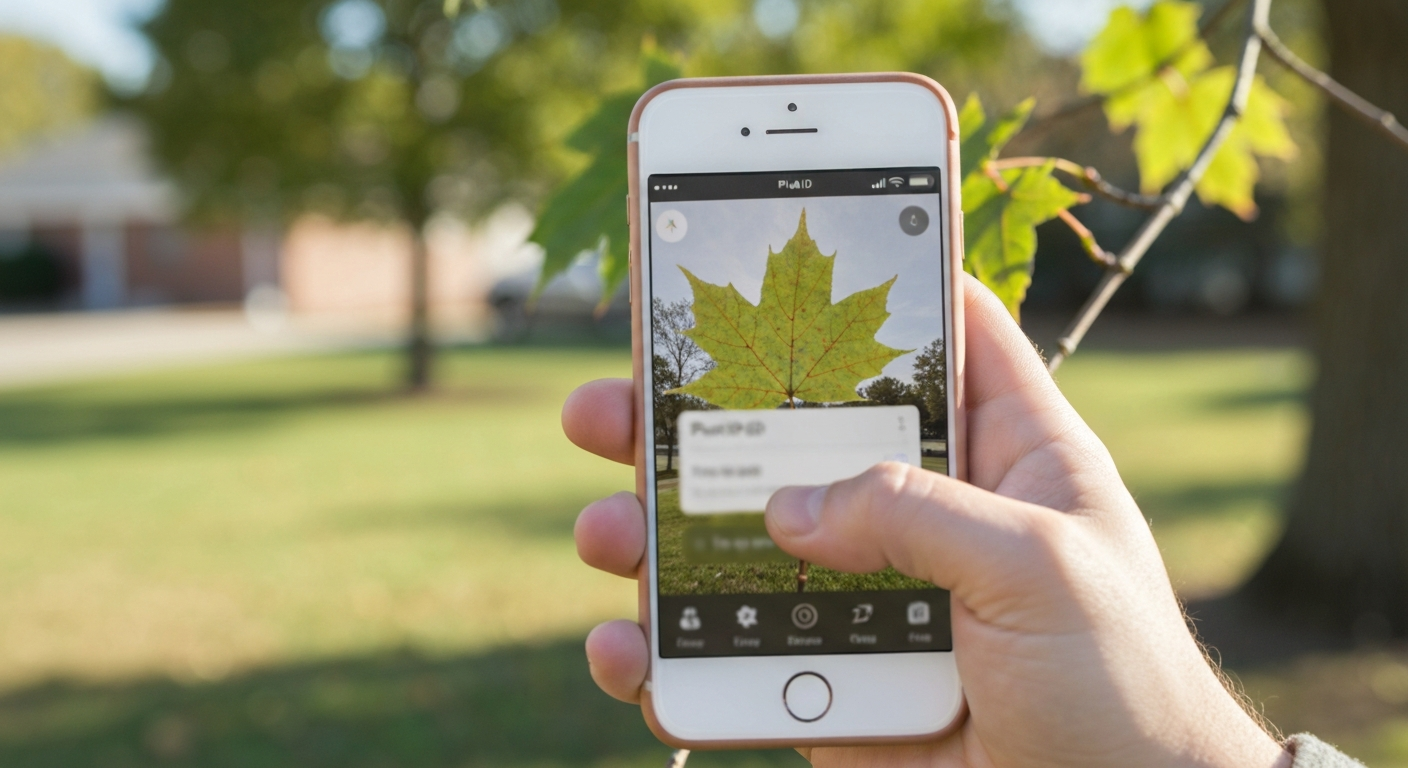
TL;DR: When you search "identify this tree app," you are usually standing in front of a tree with a phone in your hand and a dozen App Store results that all claim to be the best. The right tree identification mobile app accepts a clear photo of a leaf, bark, or whole tree; returns a species name with useful context; respects your privacy; and gives you enough free scans to test accuracy before asking for money. For iPhone users who want a fast, tree-focused experience, Tree Identifier is built for exactly that. For broader plant coverage, PictureThis and PlantNet are common alternatives. For expert-reviewed IDs, iNaturalist is unmatched — but slower. The sections below walk through what these apps actually do, which features matter, and how to choose without wasting a subscription on the wrong download.
📌 Short answer: download one tree recognition app, photograph three trees you already know by name, and see how often it nails the exact species. If it gets the genus right but misses the species, that is normal. If it cannot get the family right on a clear leaf photo, try a different app. Our app to identify trees guide covers the same evaluation steps in more detail.
What identify-this-tree apps actually do
A tree identification mobile app is not magic — it is pattern recognition trained on millions of labeled tree photos. You point your camera at a leaf, a patch of bark, a flower, a fruit, or the whole tree silhouette. The app sends that image to an AI model (usually on a remote server), compares visual features against its training data, and returns a ranked list of likely matches. The top result is displayed as the answer, often with a confidence score, scientific name, and a short description of the species.
People search "identify this tree app" for different reasons. A homeowner wants to know whether the sapling in the backyard is a nuisance invasive or a keeper. A hiker wants a name for the canopy overhead. A student needs to confirm a field assignment. A gardener is deciding whether a new planting will survive local winters. The best tree identity app for each person depends on which of those jobs matters most — speed, depth of species information, geographic coverage, or price.
Most modern tree finder apps handle more than one input type. That flexibility matters because trees look different across seasons. In July you photograph leaves. In January you may only have bark and branching structure. A tree plant identification app that accepts multiple photo types gives you options when the obvious clue is not available.
It is worth separating two categories in the App Store. Tree-focused apps optimize for woody plants — bark texture, growth habit, native range, and timber or landscape uses. General plant apps identify shrubs, flowers, houseplants, and weeds alongside trees. An app that identifies plants and trees can be the right choice if your yard is a mix of everything. If trees are your main interest, a dedicated tree recognition app often surfaces more relevant detail per identification.
Features that actually matter in a tree identity app
App Store screenshots all look similar: green interface, camera button, checkmark on a maple leaf. The differences that affect your daily experience are less visible. Here are the features worth weighing before you tap Subscribe.
Multi-input identification
The strongest tree identification apps accept leaf, bark, whole-tree, flower, fruit, and sometimes twig or bud photos. Leaf-only apps struggle in winter and on evergreens where needle clusters are harder to frame than a single deciduous leaf. If you live somewhere with cold winters, bark and bud support is not a nice-to-have — it is how you identify trees for half the year.
Species depth beyond the name
A label that says "Red Oak" is a starting point, not a finish line. Good apps add scientific name, family, native range, mature size, whether the species is invasive in your region, and common look-alikes. That context helps you decide whether the tree is appropriate for a planting site, whether it is a protected species, or whether you are looking at a hybrid cultivar the model cannot distinguish.
Confidence scores and alternatives
Transparent apps show how sure the model is and list runner-up matches. A 92% confident Sugar Maple ID is a different proposition from a 41% guess between two similar oaks. When confidence is low, photograph a different feature or cross-check with a second app. Apps that hide uncertainty set you up to trust wrong answers.
Identification history
If you walk the same trail weekly or manage a property with dozens of trees, you want a log of past IDs with dates and photos. History turns a one-off curiosity tool into a field notebook. Check whether history syncs across devices or stays local on your phone.
Speed and camera workflow
The best tree finder app opens the camera in one tap from the home screen. Slower apps bury the camera three menus deep — fine for occasional use, frustrating on a hike where you are identifying twenty trees in an hour. Response time after you snap the photo matters too: two to four seconds is typical; ten seconds feels broken.
Geographic coverage
Models trained heavily on North American forestry data may struggle with tropical, Mediterranean, or Asian species — and vice versa. Before relying on an app abroad, read App Store reviews from users in your target region. Stated species counts are marketing; real coverage shows up in whether local trees get correct IDs.
Photo types: what to shoot for the best ID
Even the best tree recognition app fails on a bad photo. The AI can only match patterns it can see. Understanding which photo type works when will improve your results more than switching apps every week.
- Single leaf, frame-filling. For deciduous trees in leaf, one clear leaf against a plain background (sky, your hand, a notebook) is usually the highest-accuracy input. Include the full leaf margin and petiole when possible.
- Bark close-up. Fill the frame with texture. Works well for distinctive species — birch, sycamore, shagbark hickory, mature beech. Many oaks and pines have similar bark; combine bark with branching shape for ambiguous cases.
- Whole tree at moderate distance. Useful for overall shape, canopy form, and conifer silhouette. Less reliable for separating similar species but good for genus-level narrowing.
- Flowers, fruit, seeds, cones. When present, these are often the most diagnostic features. Magnolia flowers, oak acorns, maple samaras, and pine cones each have characteristic shapes.
- Compound leaves and needles. Photograph the entire compound leaf, not a single leaflet. For conifers, a branch showing needle bundle arrangement beats a distant tree shot.
Lighting and focus matter as much as subject choice. Even natural light, minimal motion blur, and a single species in frame beat a technically "fine" photo with mixed species at the edges. For a full photography walkthrough, see our guide on the best photo for tree ID — it covers framing, lighting, and the most common mistakes that produce wrong answers.
💡 Pro tip: if the first ID seems wrong, do not immediately blame the app. Retake the photo with the leaf filling 70% of the frame, tap to focus, and try again. Then photograph bark or fruit from the same tree. Two independent matches on the same species name are strong confirmation.
How accurate are tree identification apps?
Accuracy is the question behind every "identify this tree app" search — and the honest answer is: it depends on the tree, the photo, and the season.
For common, well-photographed species in their native range, the leading tree plant identification apps reach roughly 90% or higher species-level accuracy on a clear leaf photo. That is good enough for backyard curiosity, trail naming, and most educational use. Accuracy drops for rare species, street-tree cultivars, hybrids, very young saplings, and damaged or diseased foliage. In those cases, genus-level accuracy (knowing it is an oak without naming the exact species) is often above 95% even when species-level ID fails.
Several factors push accuracy down regardless of app quality:
- Similar species pairs. Red oak vs black oak, Norway maple vs sugar maple, white pine vs eastern white pine — these pairs share visual features and confuse models trained on overlapping data.
- Cultivars and ornamentals. Most apps identify the parent species but not the cultivar. A "Crimson King" Norway maple may return as Norway maple — correct at species level, incomplete for a landscaper.
- Out-of-range suggestions. If the app names a species that does not grow where you are standing, treat it as a red flag and retake the photo or try a runner-up match.
- Low-confidence results. Anything under about 60% confidence is a hint, not an answer. Good apps show the score; trust it.
Community-driven platforms like iNaturalist trade speed for accuracy: human experts review observations, so IDs are often more reliable than instant AI — but you may wait minutes or hours. For a balanced view of how different products perform, read our tree identification apps compared breakdown.
Privacy: what happens to your tree photos?
Every identify-this-tree app sends your photo somewhere for processing. What happens after that varies widely — and it is worth checking before you photograph trees on private property, at a client's site, or anywhere you would not want images stored indefinitely.
Check three things in the App Store privacy label:
- Whether photos are linked to your identity. Some apps tie uploads to an account, advertising ID, or device fingerprint.
- Whether photos are used for advertising or sold to data brokers. Commercial plant apps are more likely to monetize user data than research-backed tools.
- Whether photos are retained for model training. Contributing to science is fine if you opt in; less fine if it happens by default without clear disclosure.
Non-profit apps like PlantNet and iNaturalist generally publish clear data policies and use observations for research with user consent. Tree Identifier processes photos for identification without storing them on servers and without collecting personally identifiable information — a reasonable default if privacy is a priority. When in doubt, read the privacy policy once; it takes five minutes and saves surprises later.
Free vs paid: what you actually get
The App Store is full of "free" tree finder apps that ask for a subscription before you finish your third scan. Understanding the business model prevents frustration.
Truly free options exist. PlantNet is free, ad-free, and funded by research grants. iNaturalist is free and non-profit; identifications come from the community rather than instant AI (though the companion Seek app offers free AI ID). These are legitimate choices if you accept slower or more general workflows.
Freemium commercial apps — including Tree Identifier and PictureThis — typically offer a limited number of free identifications per day or week. The AI model on a free scan is the same as on a paid scan; you are paying for volume, history features, or ad removal, not a smarter engine. Subscribe only when you have tested accuracy on trees you already know and confirmed you will exceed the free limit.
Subscription traps to avoid: apps that require a credit card before showing any result, apps with unclear trial terms, and apps that bombard you with upsell screens after every ID. Apple's subscription management in Settings makes cancellation easy, but it is better never to sign up for a product that failed your three-tree accuracy test.
For a detailed breakdown of free tiers, paywalls, and which apps let you identify trees without paying, see our guide on free tree identification apps — what is actually free vs paywalled.
Comparison table: popular tree identification apps
No single app wins every category. This table summarizes how the most-downloaded options differ on the criteria that matter for everyday tree ID. For narrative detail on each row, see the full apps compared article.
| App | Best for | Photo types | Free tier | Privacy |
|---|---|---|---|---|
| Tree Identifier | Fast iPhone tree ID with full species detail | Leaf, bark, whole tree, fruit, flower | Basic ID free | No photo storage, no PII |
| PictureThis | Broadest plant database (not tree-only) | Leaf, flower, whole plant | Limited trial | More data collection |
| PlantNet | Free, research-backed citizen science | Leaf, flower, fruit, bark | Fully free, ad-free | Transparent non-profit policy |
| iNaturalist | Expert-reviewed IDs and research data | Any clear organism photo | Free | Non-profit, open data |
| LeafSnap | Leaf-focused identification | Primarily leaves | Limited free, ads | Check App Store label |
Before committing to any row in that table, run the three-tree test on your iPhone: photograph species you can verify from a field guide or a trusted local source. The app that consistently names your known trees correctly is the right one for your region and photography style — not necessarily the one with the most downloads nationally.
How Tree Identifier fits the identify-this-tree search
If your search was literally "identify this tree app," you probably want speed, clarity, and an answer you can trust on the first try. Tree Identifier is an iOS tree identification app built around that workflow: open the app, photograph the tree feature in front of you, and get a species name with scientific name, family, description, and look-alikes within a few seconds.
Where Tree Identifier differs from generalist plant apps:
- Tree-first design. The interface, species database, and result screens prioritize woody plants — not houseplants or weeds mixed into the same feed.
- Multiple photo inputs. Leaf, bark, whole tree, flowers, and fruit are all supported, so you are not stuck in winter when leaves are gone.
- Privacy-respecting processing. Photos are used for identification and not stored on servers; no account is required to start identifying.
- Honest free tier. Basic identification is free so you can validate accuracy on your local trees before deciding whether paid features are worth it.
Tree Identifier is not the right fit for everyone. Android users need a different download — PictureThis, PlantNet, and iNaturalist all offer Android versions. If you want your observations contributed to a global biodiversity database with expert review, iNaturalist is the better tool. If you need unlimited free scans with no subscription prompt, PlantNet is hard to beat. Tree Identifier makes sense when you are on iPhone, care primarily about trees, and want instant AI results without handing over a photo archive.
Download Tree Identifier free on the App Store: Tree Identifier — AI Tree ID for iPhone. For a broader look at how to evaluate any tree ID app — not just one product — our app to identify trees guide walks through the same decision framework with additional examples.
Frequently asked questions
What is the best identify-this-tree app for iPhone?
For iPhone users who want fast AI identification from leaf, bark, or whole-tree photos with full species detail and minimal data collection, Tree Identifier is a strong tree-focused choice. For broader plant coverage beyond trees, PictureThis is popular. For community-reviewed IDs, iNaturalist is excellent but slower. For a fully free option, PlantNet is ad-free and research-backed.
Can a tree identity app identify trees from just one photo?
Yes. Modern tree recognition apps use AI to match a single photo against millions of labeled images. Leaf photos usually give the highest accuracy during the growing season. Bark, whole-tree, flower, and fruit photos also work when framed clearly. For difficult IDs, taking two or three photos of different features from the same tree improves results.
Are tree plant identification apps accurate?
For common species with a clear photo, the best apps reach roughly 90% or higher species-level accuracy. Accuracy drops for rare trees, hybrids, young saplings, and poor lighting. Genus-level accuracy (for example, identifying an oak without naming the exact species) is consistently higher. Photo quality matters as much as the app itself.
Do identify-this-tree apps store my photos?
Policies vary. Some apps process your photo on a server and discard it immediately. Others retain images for model training or advertising profiles. Check the App Store privacy label before downloading. Tree Identifier does not store photos on its servers or collect personally identifiable information. Non-profit apps like PlantNet and iNaturalist are generally more transparent about data use.
Is there a free tree finder app that actually works?
Yes. PlantNet is fully free and ad-free. iNaturalist is also free, though identifications come from human experts and take longer than instant AI. Commercial apps like Tree Identifier and PictureThis offer free tiers with daily or weekly scan limits — the AI accuracy on each scan is the same whether you pay or not. You pay for volume and extra features, not better core identification.
Should I use an app that identifies plants and trees, or a tree-only app?
If you mostly identify trees, a tree-focused app tends to perform better on bark, winter ID, and tree-specific detail like native range and growth habit. Generalist plant apps cover shrubs, flowers, and weeds too, which is useful for gardeners but can mean less depth on tree-specific features. Many hikers and homeowners prefer a dedicated tree identity app; landscapers who ID everything in a yard may prefer a broader plant app.
Do tree recognition apps work without internet?
New identifications usually require internet because AI models run on cloud servers, not on your phone. Most apps save past results locally so you can browse them offline. iNaturalist lets you record observations offline and upload later. If you hike in areas with no signal, photograph trees during the walk and identify them when you regain connectivity.
Try Tree Identifier — free on iPhone
AI-powered tree ID from a single photo. Leaf, bark, or whole tree. No account required.
Download on the App Store