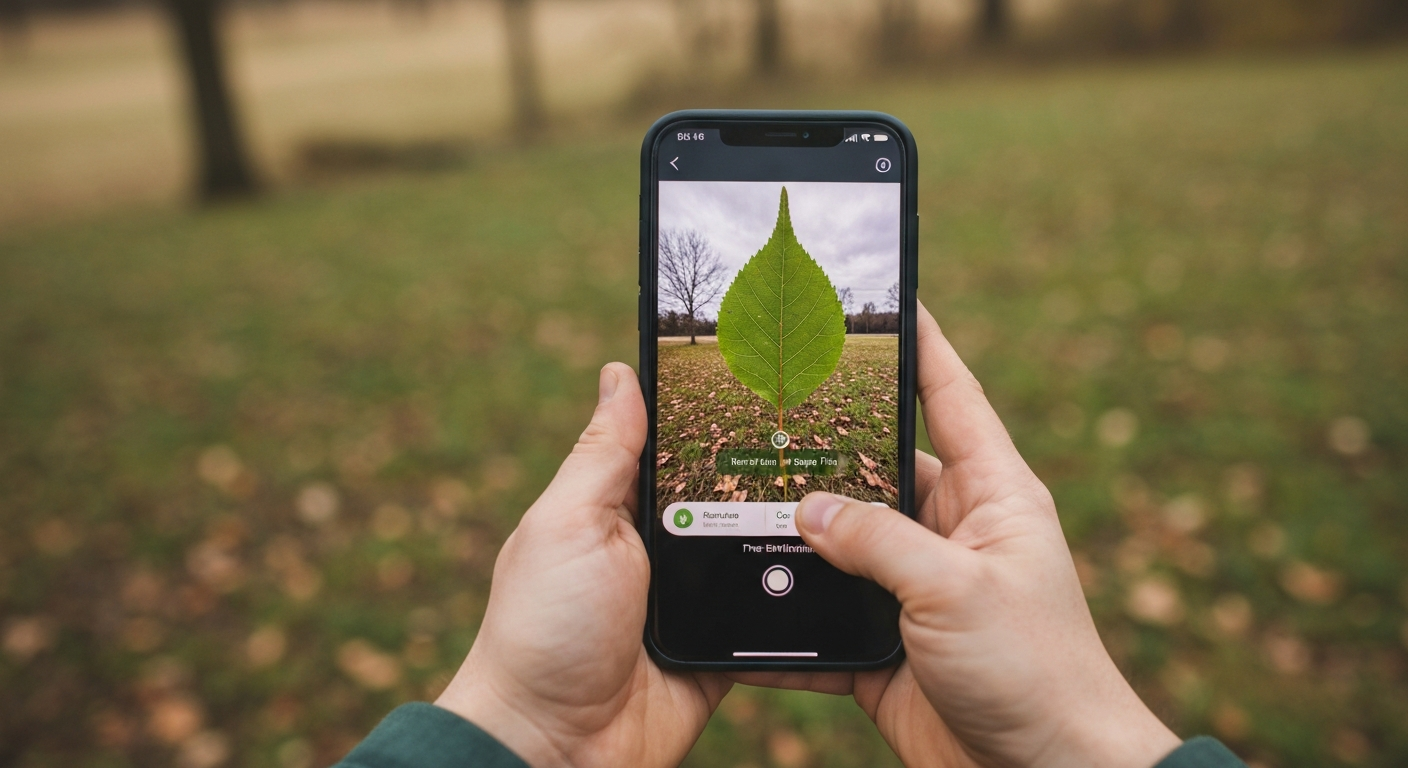
TL;DR: A tree finder or tree scanner app turns phone photos into species shortlists. Shop for offline capability, solid leaf and bark modes, fruit tree recognition when you garden, and realistic winter tree finder behavior. Tree Identifier is built as an iPhone-first tree ID tool for field photos — pair it with good camera habits and manual lookalike checks.
🔴 Buyer filter: if an app cannot handle a clean leaf close-up and a basic bark shot, it is a novelty camera toy, not a trail tree finder. Winter and fruit modes are bonuses on top of that bare minimum.
What “tree finder” and “tree scanner” usually mean
Searchers type tree finder when they want a phone to answer “what tree is this?” Tree scanner is the same idea with camera language. Under the hood, most products classify images with on-device or cloud models trained on leaves, bark, flowers, fruit, and habit shots.
This buyer’s guide is job-oriented, not a version-by-version review matrix. For named brand side-by-sides, see Tree Identification Apps Compared. Here the focus is choosing features that match how you actually walk — orchards, winter streets, offline backcountry — and where Tree Identifier fits that map.
Jobs to be done: pick the feature set you need
1. Casual backyard ID
You need fast leaf recognition, readable common names, and occasional bark backup when the canopy is too high. Online-only apps are fine on home Wi‑Fi. Privacy still matters if photos sync by default.
2. Hiking and weak signal
Offline or pre-downloaded models matter more than social features. Download updates before the trailhead. A tree finder that stalls for a server round-trip fails in canyons and remote parks.
3. Fruit tree recognition
Gardeners and homesteaders need apps that accept fruit clusters — apple, pear, citrus, mulberry, pawpaw — not leaves only. Shoot fruit + leaf together. Cultivar-level ID (exact apple variety) is rarely reliable; species or genus is the realistic target.
4. Winter tree finder use
Expect lower confidence. Bud arrangement, bark plates, persistent pods, and silhouette become primary. Any app marketing “works in winter” should still ask for close buds and bark — magic whole-yard winter shots remain weak inputs.
What Tree Identifier does well
Tree Identifier focuses on tree identification rather than doubling as a houseplant encyclopedia. That focus helps when you care about woody plants on trails and in yards.
- Photo-first workflow: Point at leaves, bark, or fruit and receive species suggestions suited to field use.
- iPhone field design: Built for handheld shots, not desktop browsers.
- Practical learning loop: Quick results encourage more practice — which improves your own eye over time.
- Free App Store start: Try the tool before committing to a paid ecosystem elsewhere.
Related reading: App to Identify Trees, Free Tree Identifier App Guide, and How AI Tree Identification Works.
Offline vs online scanners
Online (cloud) pros: Larger models, frequent server-side updates, sometimes better rare species recall.
Online cons: Dead zones, latency, and photo-upload privacy questions.
Offline / on-device pros: Works on planes, canyons, and deep woods; predictions stay on phone.
Offline cons: Model downloads weigh storage; you must update before trips.
For a true tree finder habit — spontaneous stops on lunch walks and Saturday hikes — offline capability is more valuable than one extra percentage point of online accuracy on Wi‑Fi. Keep devices updated either way.
Fruit tree recognition — shopping notes
Secondary keyword searches for fruit tree recognition usually come from people staring at a mystery backyard producer. Checklist:
- Does the app accept fruit-forward crops in its training stories or help screens?
- Can you submit multiple photos (fruit + leaf) in one session?
- Does it warn when cultivar ID is uncertain?
Pair scanner results with seasonal fruit guides on the blog, such as mulberry or seed-pod articles, when soft aggregates or unusual pods appear. Apps + organ knowledge beat apps alone.
Winter tree finder tips (app + field craft)
Even the best winter tree finder needs good inputs:
- Photograph opposite vs alternate buds at the twig tip.
- Shoot dry mid-trunk bark — not wet stained patches only.
- Include persistent samaras, cones, or pods under the crown.
- Capture one silhouette for growth habit.
- Treat top suggestions as hypotheses; verify with a key or second organ.
Depth reading: Tree Bark Identification App Guide and Identify Trees by Bark.
Comparison axes that matter more than logo polish
- Tree-specialist vs general plant app: Specialists reduce flower-houseplant noise; generalists cover more life forms.
- Community verification: Useful for rarities; slower for casual trail stops.
- Subscription pressure: Note whether core scanning stays usable without upsells.
- Range awareness: Suggestions that ignore geography increase false positives.
- Explainability: Does the UI show similar species or just one dogmatic answer?
Named competitor tables belong in the comparison article; use this page to decide which capabilities you are shopping for first.
Photo hygiene still beats brand choice
Switching apps will not fix a silhouette shot from fifty feet. Leaf fill-the-frame rules, bark dryness, and single-tree framing decide accuracy more than icon design. See Best Photo for Tree ID.
Toxic lookalikes (poison ivy vs box elder shoots, poison sumac vs edible sumac) deserve human double-checks after any scanner result.
Recommended buyer path
- Install a tree-focused finder — start with Tree Identifier on iPhone.
- Practice ten common neighborhood trees with leaf photos.
- Add bark and winter sessions once leaf mode feels natural.
- Optionally add a community app for hard rarities.
- Keep a paper or PDF regional pocket key for verification hobbies.
That stack covers tree finder searches, fruit projects, and winter walks without overbuying five overlapping subscriptions.
Privacy, storage, and “scanner” marketing language
Some tree scanner pitches imply continuous AR overlays that name every trunk as you pan. In practice, deliberate still frames outperform hurried video for accuracy. Prefer apps that let you review the exact crop sent to the model. Check whether photos upload by default; outdoor enthusiasts in parks sometimes prefer on-device inference.
Storage costs matter when offline packs include thousands of species. Delete unused general plant packs if you only need woody plants. Update on Wi‑Fi before weekend trips so the winter tree finder and summer leaf models stay current without trailhead roaming charges.
Marketing pages may list fruit tree recognition as a bullet. Test it yourself with a known apple or mulberry before trusting orchard surveys. If the app returns only “Rosaceae” for every pome fruit, keep species-level claims humble and lean on leaf + fruit combos plus regional lists such as common backyard trees.
How this guide differs from full app roundups
Roundup articles rank logos and price tiers. This tree finder buyer guide ranks jobs: offline hikes, orchard fruit checks, and winter bark sessions. Start with the job, then pick Tree Identifier or another specialist that matches it. Revisit deep feature comparisons in Tree Identification Mobile App Guide and free-tier notes in Tree ID App Free when you are ready to spreadsheet options.
Bottom line for shoppers: a tree finder earns its home-screen slot when it survives a leaf day, a bark day, and one winter walk without forcing you onto fragile cell service. Tree Identifier aims at that bar for iPhone users who care about trees first.
Frequently asked questions
What is a tree finder app?
A tree finder (or tree scanner) app uses your phone camera or photo library to suggest tree species from leaves, bark, fruit, or whole-tree shots. Some are tree-focused; others are general plant apps that also handle woody plants. Good tree finders explain confidence limits and work with offline packs for trail use.
What should I look for in a tree scanner?
Prioritize clear species suggestions, offline or downloadable models, strong leaf and bark modes, privacy-respecting photo handling, and honest results when images are poor. Bonus features: fruit tree recognition, winter bud tips, and range notes. Price models vary — free tiers plus optional unlocks are common.
Can tree finders identify fruit trees?
Often yes when fruit or distinctive leaves are visible — apple, citrus, mulberry, and others. Fruit tree recognition fails when only bare trunks show and cultivars look similar. Shoot fruit clusters and leaves together for best results.
How do winter tree finder apps work?
Winter modes lean on bark texture, bud arrangement, persistent fruits, and silhouette. Accuracy is lower than summer leaf ID. Photograph opposite vs alternate buds and mid-trunk bark; add any leftover seeds. Treat winter results as shortlists to verify.
Is Tree Identifier offline?
Tree Identifier is designed for field identification on iPhone with photo-based matching. Download and keep the app updated so recognition works when you are away from strong signal. Always verify critical lookalikes manually.
Are free tree finder apps accurate enough?
Free apps can be accurate for common species with clean photos. Errors rise with poor lighting, unusual cultivars, and winter bark-only images. Use free tools as assistants — cross-check toxic lookalikes and high-stakes IDs.
Tree finder vs PictureThis or iNaturalist — which to use?
Tree-focused scanners suit hikers who want fast woody-plant answers. General plant apps cover flowers and houseplants too. iNaturalist emphasizes community verification. Many people keep a tree finder for trails and a community app for rarities.
Try Tree Identifier — free on iPhone
Scan leaves, bark, and fruit with a tree-focused finder built for the trail.
Download on the App Store